> For the complete documentation index, see [llms.txt](https://docs.openmind.com/llms.txt). Markdown versions of documentation pages are available by appending `.md` to page URLs; this page is available as [Markdown](https://docs.openmind.com/full-autonomy-guidelines/features/machine-teleops.md).
# Machine Teleops
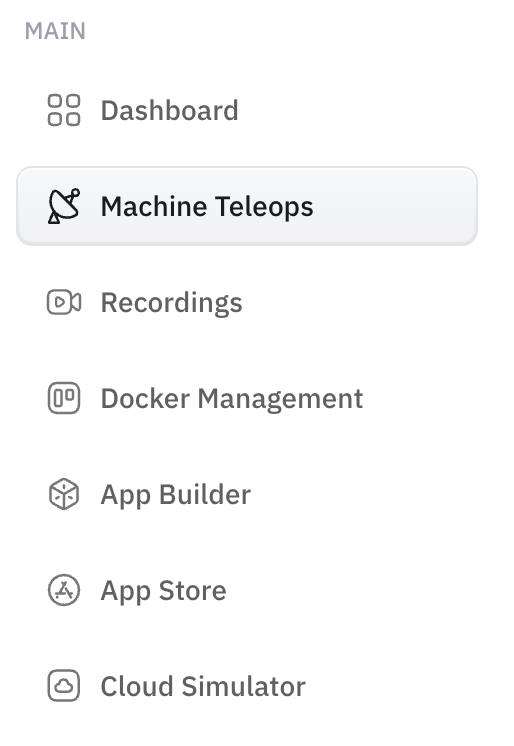
The portal's control hub — connect to a robot, drive it, and run its autonomy.
Machine Teleops is the portal page where you actually operate a specific robot. Connect to a machine and you get its live camera feeds, manual driving controls, and the controls for everything autonomous it can do. If you're doing something *to a robot*, you're most likely doing it here.
### Driving the robot
Open the **Camera** tab for the robot's live feeds (Front, Top, Down) alongside the manual teleoperation controls. Drive it with the on-screen controls, or pair an **Xbox controller** over Bluetooth and use that instead.
> On a physical robot, the game controller takes precedence over the AI — controller input overrides AI-generated motion. See [Unitree Go2 controls](/robotics/unitree_go2_quadruped_configurations.md) for the button mapping.
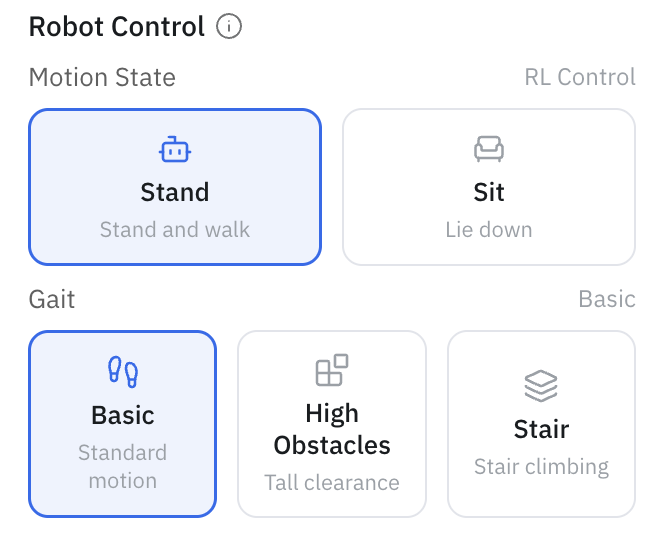
 The **Robot Control** panel sets the robot's motion state — **Stand** (stand and walk) or **Sit** (lie down) — and, on supported robots, the **gait**: **Basic** (standard motion), **High Obstacles** (tall clearance), or **Stair** (stair climbing).
 ### Map view
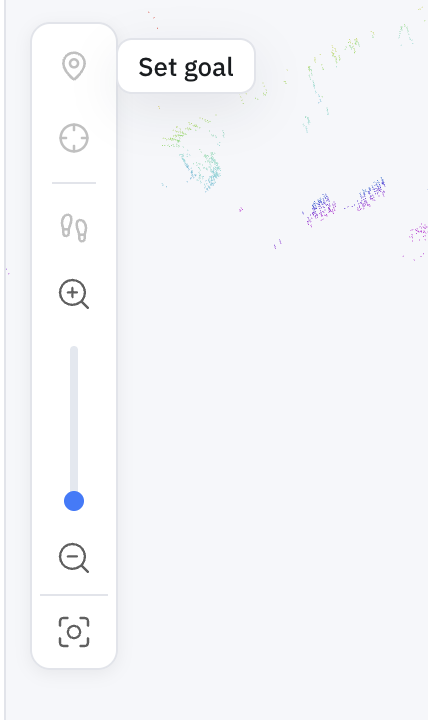
The **Map view** tab shows the robot on its map — whether it's mapping, navigating, or patrolling. Its toolbar carries the tools you'll reach for most:
|
### Map view
The **Map view** tab shows the robot on its map — whether it's mapping, navigating, or patrolling. Its toolbar carries the tools you'll reach for most:
|  |
|  |
| :------------------------------------------------------------------------------------------------------------------------------------------------------------------------------------------------------------------------------------------------: | :------------------------------------------------------------------------------------------------------------------------------------------------------------------------------------------------------------------------------------------------------------------: |
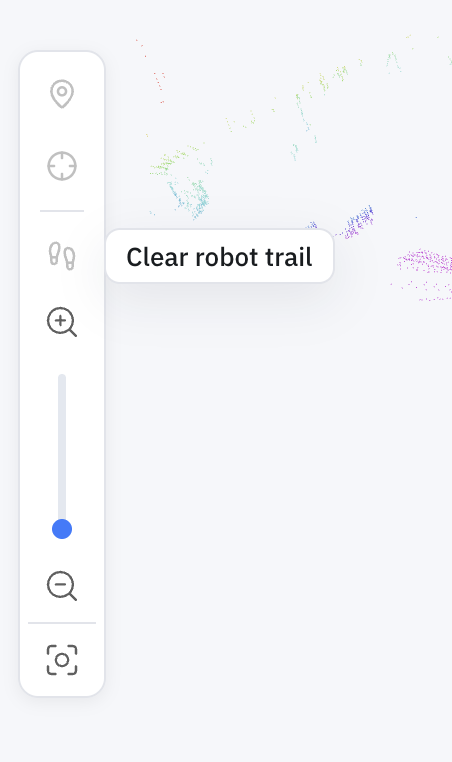
| **Set goal** — click a point on the map to send the robot there | **Clear robot trail** — remove the trail the robot has drawn on the map |
The toolbar's third tool, **Localize**, re-establishes the robot's pose if it drifts — see [Relocalization](/full-autonomy-guidelines/features/relocalization.md). As the robot drives, the map view shows its live pose and draws a **trail** of where it has been; **Clear robot trail** wipes it when the view gets busy.
### Running autonomy from here
Machine Teleops is also where you launch and monitor autonomy — connect a machine, pick a map, and start a run. Each capability has its own guide:
* [Mapping & SLAM](/full-autonomy-guidelines/features/mapping-slam.md) — build a map
* [2D Navigation](/full-autonomy-guidelines/features/navigation.md) — send the robot to a goal
* [Patrol](/full-autonomy-guidelines/features/patrol.md) — loop a route between waypoints
* [Maps, Routes & Locations](/full-autonomy-guidelines/features/maps-routes-locations.md) — manage what it navigates on
### Try it without hardware
The [Cloud Simulator walkthrough](/simulators/cloud-isaac-sim.md) covers connecting to a robot in Machine Teleops and driving it — the fastest way to see this end to end without a physical robot.
---
# Agent Instructions
This documentation is published with GitBook. GitBook is the documentation platform designed so that both humans and AI agents can read, navigate, and reason over technical content effectively. Learn more at gitbook.com.
## Querying This Documentation
If you need additional information that is not directly available in this page, you can query the documentation dynamically by asking a question.
Perform an HTTP GET request on the current page URL with the `ask` query parameter, and the optional `goal` query parameter:
```
GET https://docs.openmind.com/full-autonomy-guidelines/features/machine-teleops.md?ask=&goal=
```
`ask` is the immediate question: it should be specific, self-contained, and written in natural language.
`goal` is optional and describes the broader end goal you are ultimately trying to accomplish on behalf of the user. GitBook uses it to tailor the answer towards what is most useful for that goal.
The response will contain a direct answer to the question and relevant excerpts and sources from the documentation.
Use this mechanism when the answer is not explicitly present in the current page, you need clarification or additional context, or you want to retrieve related documentation sections.
|
| :------------------------------------------------------------------------------------------------------------------------------------------------------------------------------------------------------------------------------------------------: | :------------------------------------------------------------------------------------------------------------------------------------------------------------------------------------------------------------------------------------------------------------------: |
| **Set goal** — click a point on the map to send the robot there | **Clear robot trail** — remove the trail the robot has drawn on the map |
The toolbar's third tool, **Localize**, re-establishes the robot's pose if it drifts — see [Relocalization](/full-autonomy-guidelines/features/relocalization.md). As the robot drives, the map view shows its live pose and draws a **trail** of where it has been; **Clear robot trail** wipes it when the view gets busy.
### Running autonomy from here
Machine Teleops is also where you launch and monitor autonomy — connect a machine, pick a map, and start a run. Each capability has its own guide:
* [Mapping & SLAM](/full-autonomy-guidelines/features/mapping-slam.md) — build a map
* [2D Navigation](/full-autonomy-guidelines/features/navigation.md) — send the robot to a goal
* [Patrol](/full-autonomy-guidelines/features/patrol.md) — loop a route between waypoints
* [Maps, Routes & Locations](/full-autonomy-guidelines/features/maps-routes-locations.md) — manage what it navigates on
### Try it without hardware
The [Cloud Simulator walkthrough](/simulators/cloud-isaac-sim.md) covers connecting to a robot in Machine Teleops and driving it — the fastest way to see this end to end without a physical robot.
---
# Agent Instructions
This documentation is published with GitBook. GitBook is the documentation platform designed so that both humans and AI agents can read, navigate, and reason over technical content effectively. Learn more at gitbook.com.
## Querying This Documentation
If you need additional information that is not directly available in this page, you can query the documentation dynamically by asking a question.
Perform an HTTP GET request on the current page URL with the `ask` query parameter, and the optional `goal` query parameter:
```
GET https://docs.openmind.com/full-autonomy-guidelines/features/machine-teleops.md?ask=&goal=
```
`ask` is the immediate question: it should be specific, self-contained, and written in natural language.
`goal` is optional and describes the broader end goal you are ultimately trying to accomplish on behalf of the user. GitBook uses it to tailor the answer towards what is most useful for that goal.
The response will contain a direct answer to the question and relevant excerpts and sources from the documentation.
Use this mechanism when the answer is not explicitly present in the current page, you need clarification or additional context, or you want to retrieve related documentation sections.